Zenon Pro · For food pros

Hiring? Find a professional

Get booked forwhat you do best.

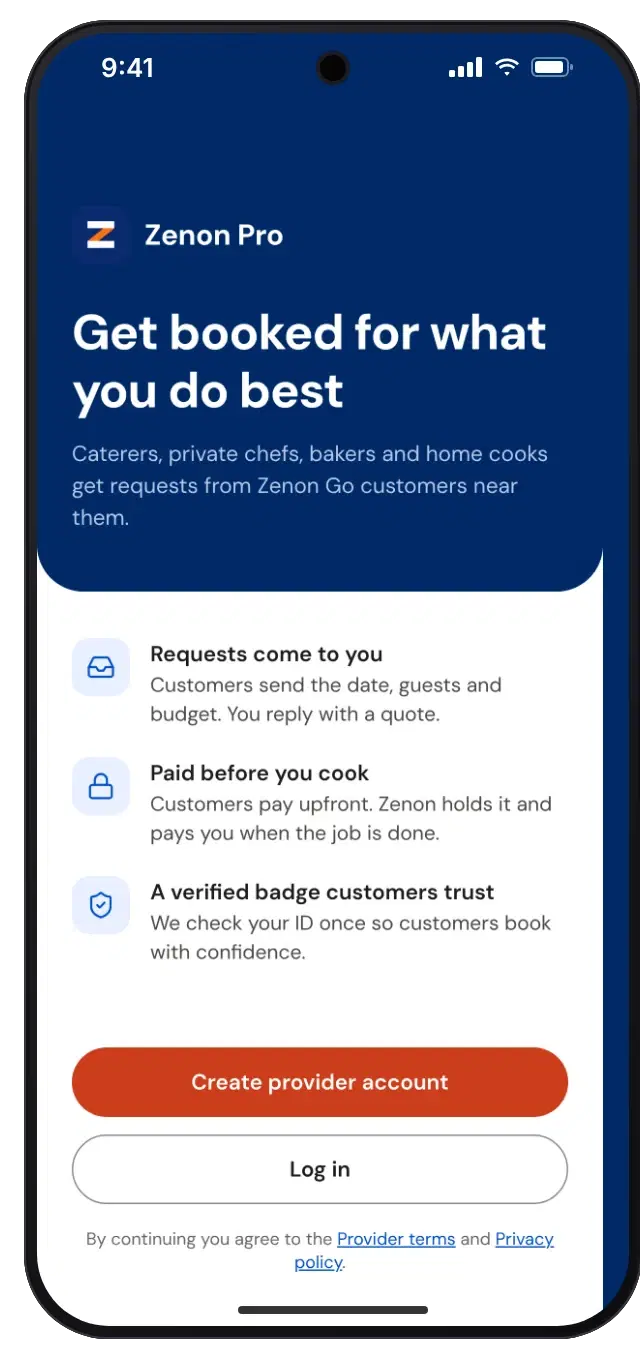
Zenon Pro connects caterers, private chefs, bakers and home cooks with Zenon Go customers near them. Customers send the date, guests and budget. You reply with a quote, cook, and get paid through Zenon.

  • Requests come to you
  • Paid before you cook
  • A verified badge customers trust
Requests list showing date, guests, area and budget for each request
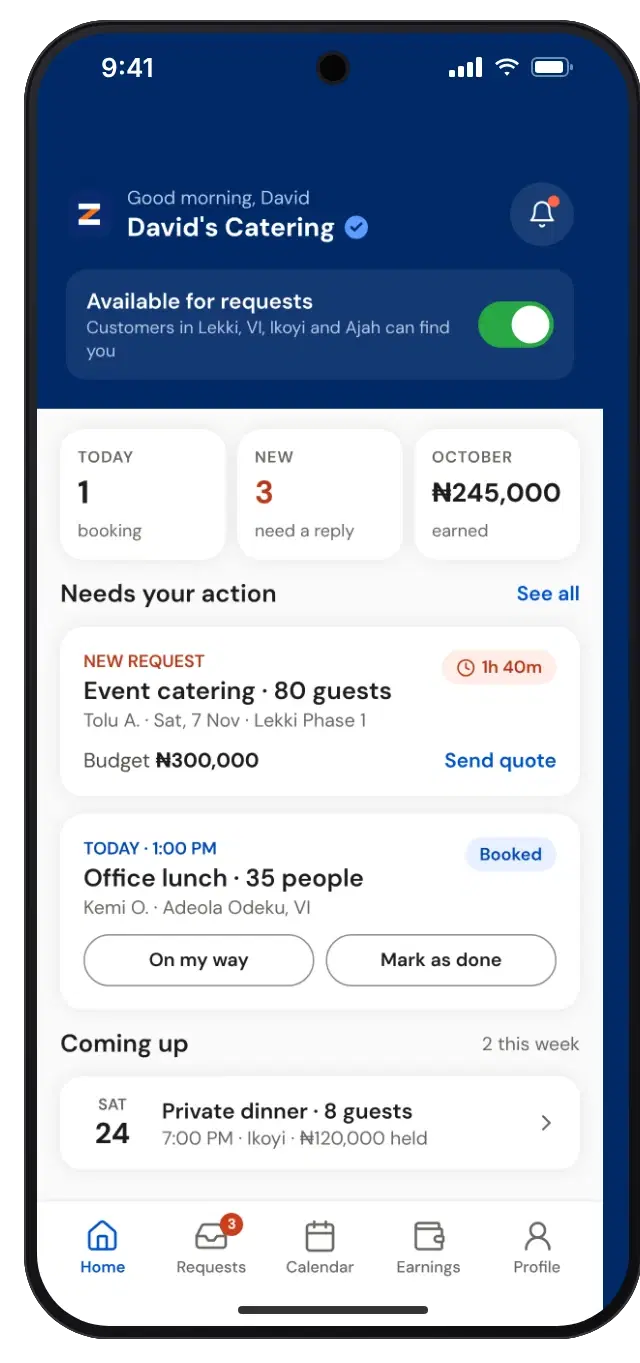
Zenon Pro home screen with new requests, today’s jobs and earnings

Who it’s for

Made for people who cook for a living

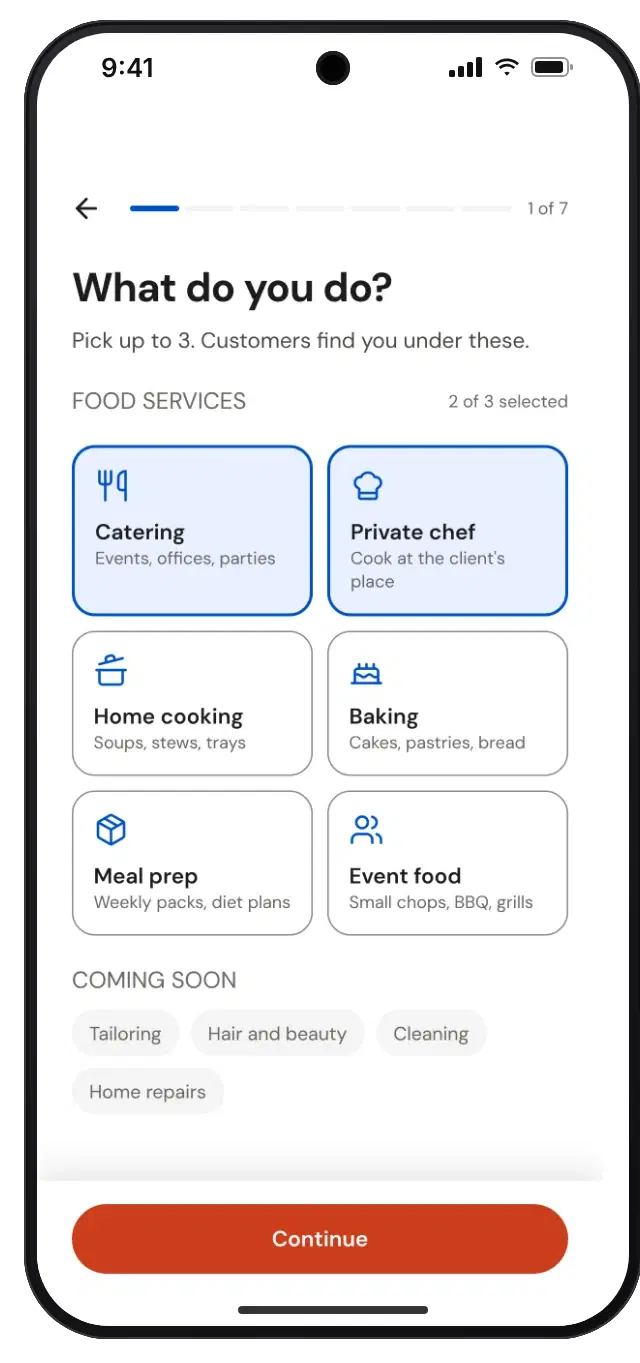
Whether you run a catering company or cook from your own kitchen, pick up to three services and customers looking for them will find you.

  • CateringEvents, offices and parties
  • Private chefCook at the client’s place
  • Home cookingSoups, stews and trays
  • BakingCakes, pastries and bread
  • Meal prepWeekly packs and diet plans
  • Event foodSmall chops, BBQ and grills
Coming soon:Health and wellnessTailoringHair and beautyCleaningHome repairs

Looking to hire?

Find a trusted professional near you

Browse Zenon Pro caterers, private chefs and bakers. No account needed to look around. When you're ready, sign up as an individual or a registered business to request a quote.

Find a professionalHealth professionals coming soon
  • Verified professionalsSee their work, prices and reviews from real customers.
  • Quotes, not guessworkSend the date and what you need. They reply with a price.
  • Pay safelyZenon holds your payment until the job is done.

How it works

From sign-up to your first booking

  1. 1

    Set up your profile

    Pick what you do, add your first service and choose the areas you cover. It takes about 5 minutes.

    Choosing food services such as catering, private chef and baking
  2. 2

    Verify your ID once

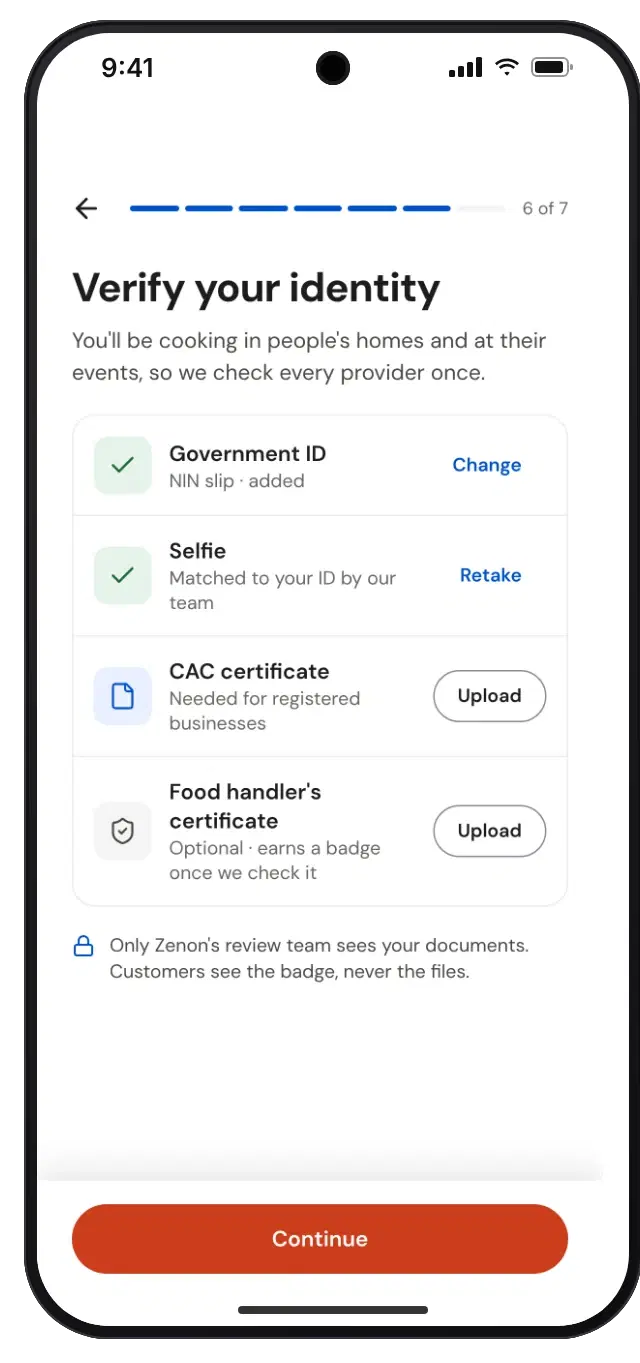
    Add a government ID and a selfie. Our team checks them and you get a verified badge.

    Identity check with government ID, selfie and certificates
  3. 3

    Quote on requests

    Customers near you send the date, guests and budget. Reply with a quote before the timer ends.

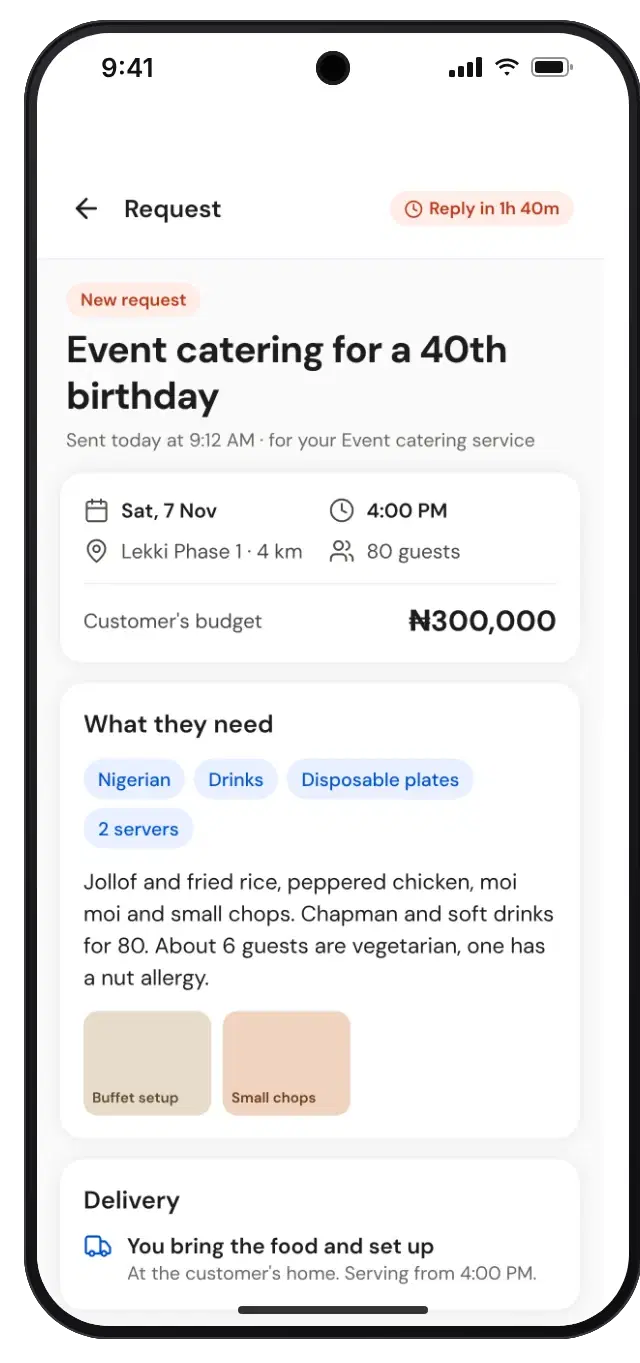
    Request detail for an event catering job with menu, guests and budget
  4. 4

    Cook and get paid

    The customer pays upfront. Mark the job done and the money is released to your Zenon wallet.

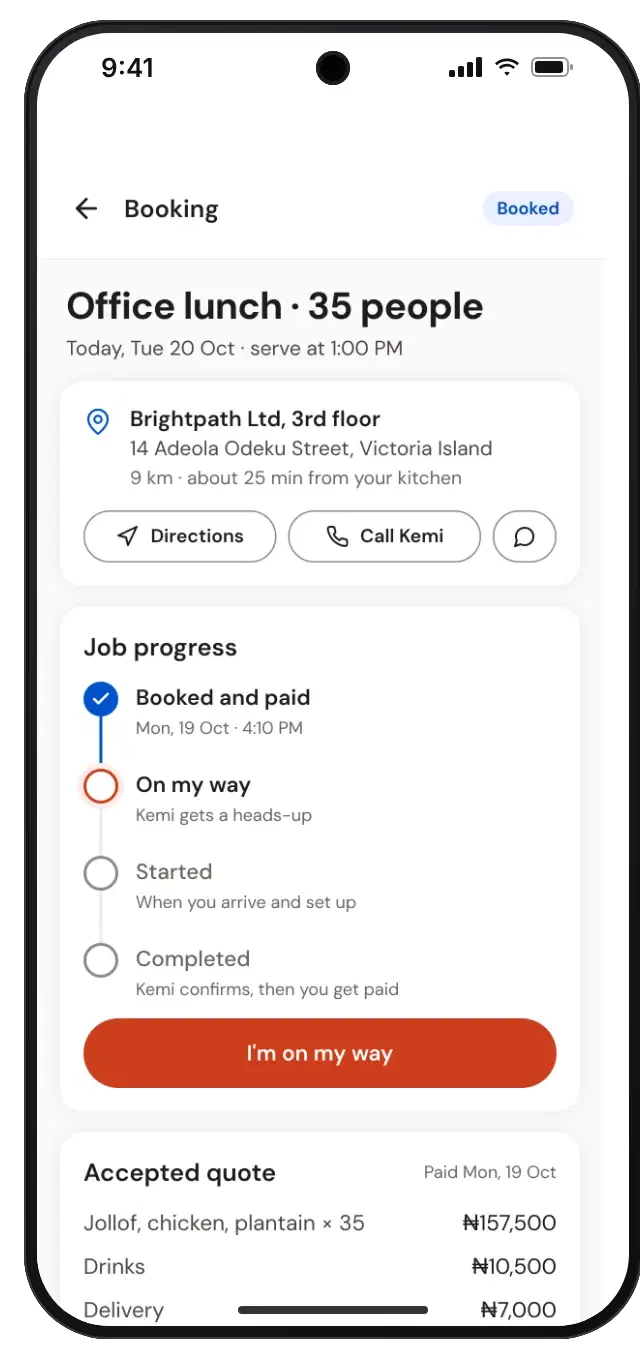
    Booking screen with directions and job progress

Inside the app

Everything you need to run your food business

Requests

Know the job before you quote

Every request comes with the occasion, date, number of guests, area and budget, so you only spend time on jobs that fit.

  • See what the customer needs: menu, dietary notes and photos
  • Send a quote with line items, or decline with a reason
  • A reply timer keeps requests moving for you and the customer
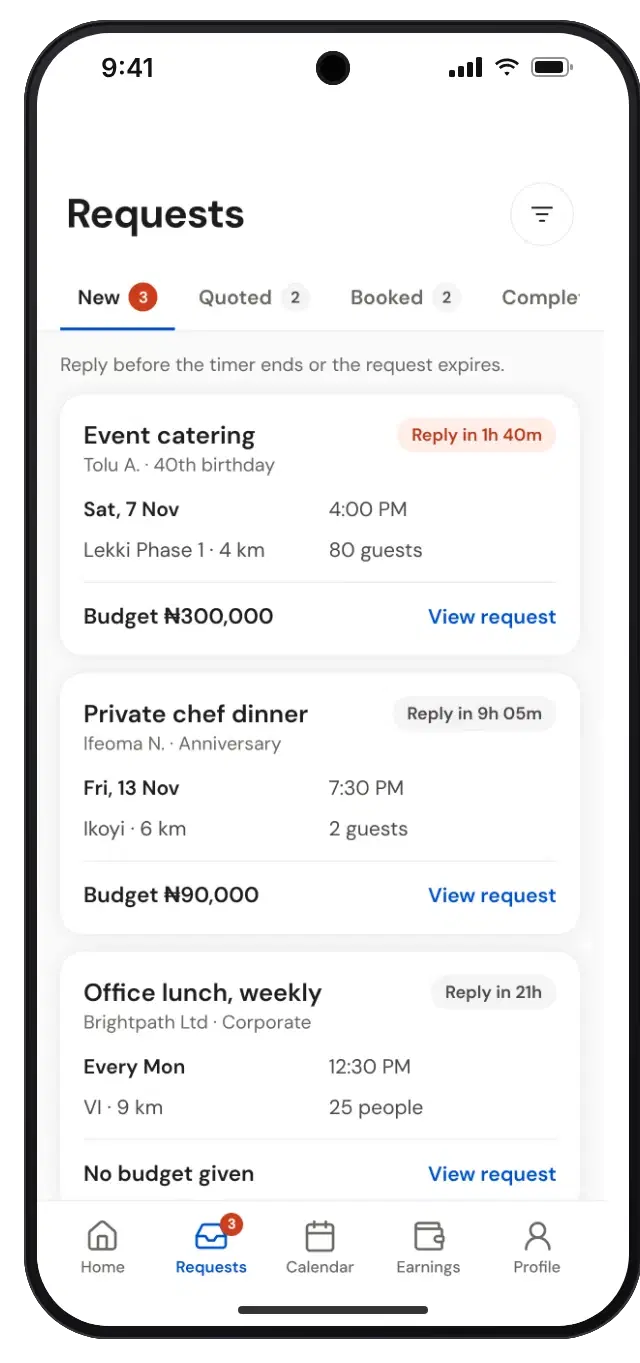
Requests list showing date, guests, area and budget for each requestRequest detail for an event catering job with menu, guests and budget

Chat

Agree the details in chat

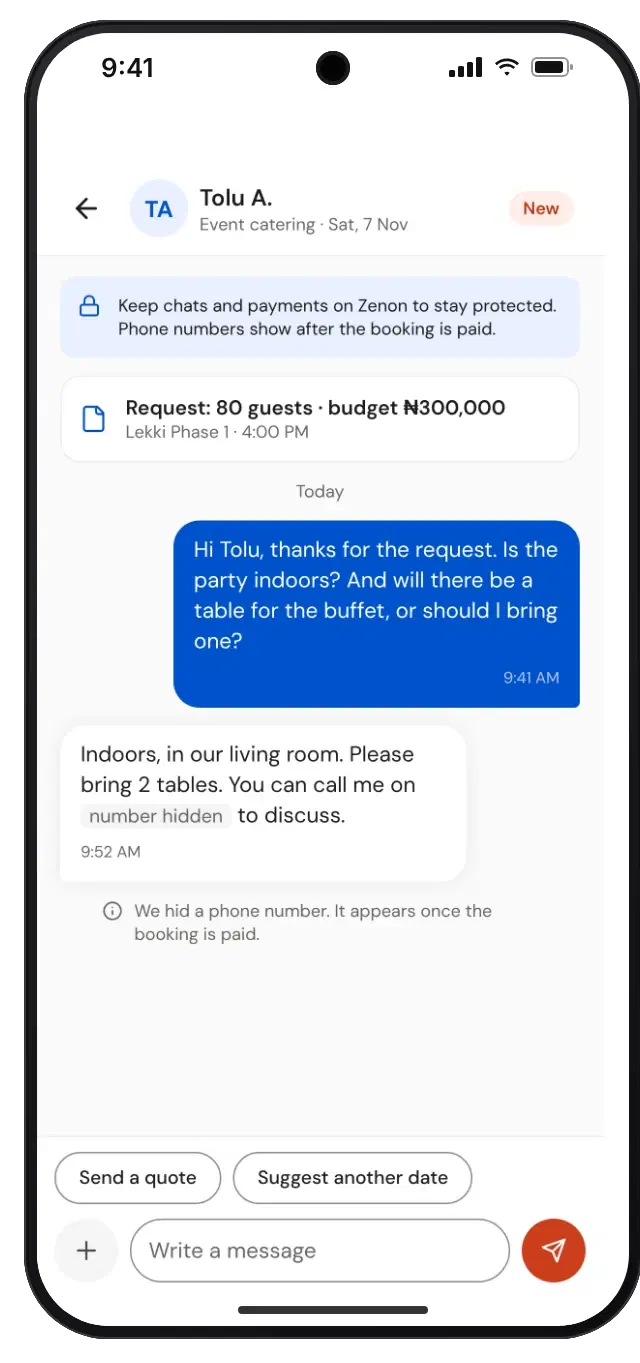
Talk to customers inside Zenon before you’re booked: confirm the venue, the menu and anything else that matters.

  • Phone numbers stay hidden until the booking is paid
  • Send a quote or suggest another date right from the chat
  • Every message stays with the request, so nothing gets lost
Chat with a customer about a catering request

Bookings & calendar

Track every job to payday

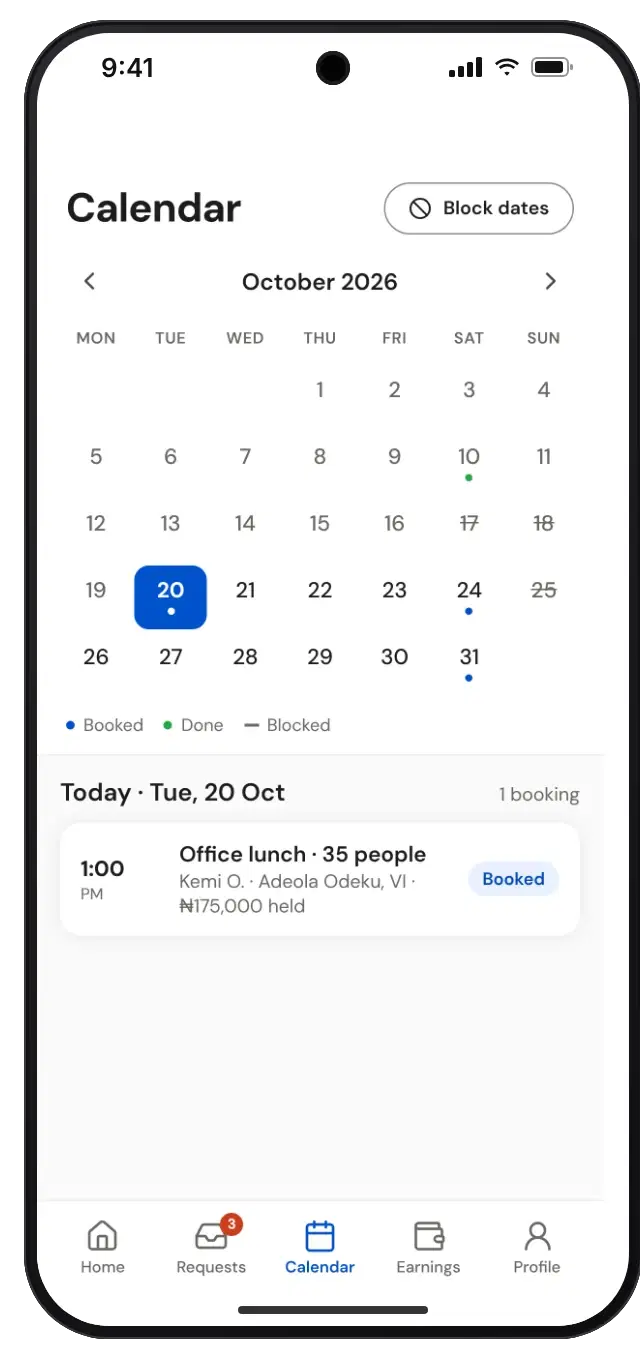
Once a customer pays, the address, directions and the agreed quote are all on the booking. Your calendar keeps itself up to date.

  • Let the customer know when you’re on your way and when you start
  • Block days off, or set weekly days you don’t work
  • Set how many jobs you can take in a day and how much notice you need
Booking screen with directions and job progressCalendar showing booked, completed and blocked days

Earnings

Paid before you cook

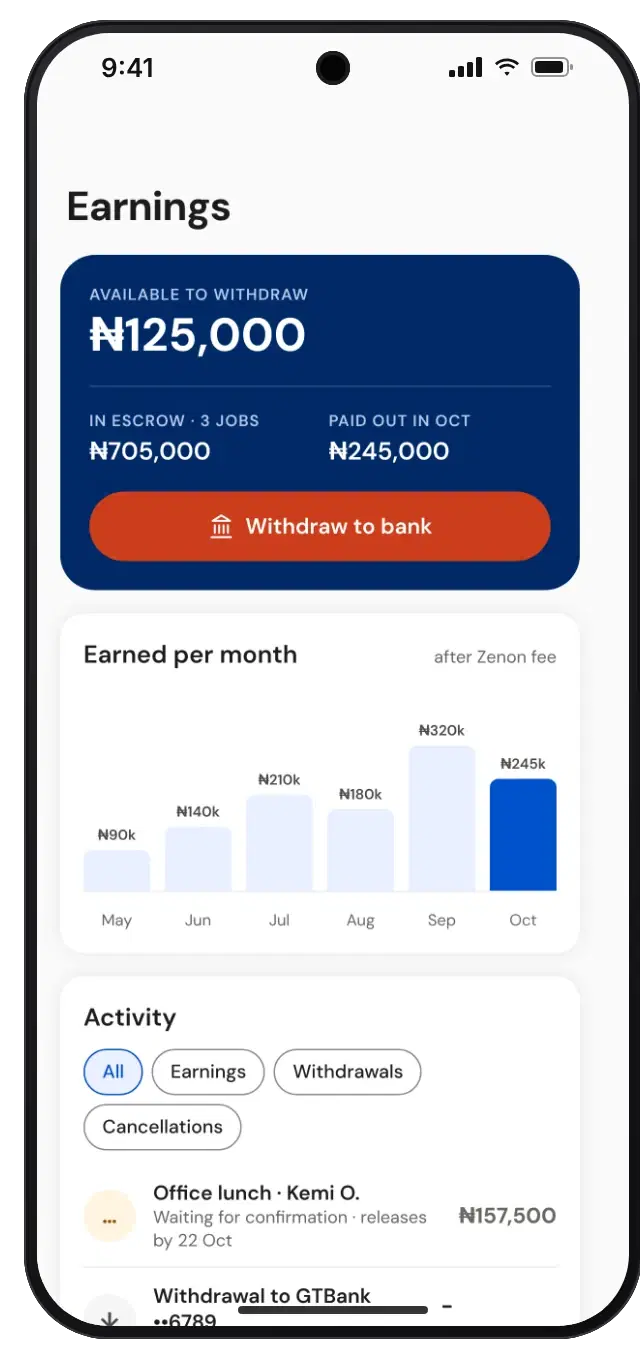
Customers pay upfront and Zenon holds the money until the job is done, so you never chase a payment again.

  • See what’s available, what’s held for upcoming jobs and what you’ve been paid
  • Withdraw to your own bank account whenever you like
  • A monthly chart shows how your business is growing
Earnings screen with balance, money in escrow and monthly earnings

Secure payouts

No chasing payments. Ever.

Every booking on Zenon Pro is paid for before the day of the job.

  1. Step 1

    The customer pays upfront

    When they accept your quote, the customer pays the full amount through Zenon before the job.

  2. Step 2

    Zenon holds it while you cook

    The money is held safely, so you know it’s there before you buy a single ingredient.

  3. Step 3

    Released when the job is done

    Once the customer confirms, or automatically 48 hours after you mark the job done, it’s yours to withdraw.

Screenshots

Take a closer look

  • Zenon Pro welcome screen: Get booked for what you do best

    Made for food pros

  • Zenon Pro home screen with new requests, today’s jobs and earnings

    Your whole day at a glance

  • Requests list showing date, guests, area and budget for each request

    Customers come to you

  • Request detail for an event catering job with menu, guests and budget

    Know the job before you quote

  • Chat with a customer about a catering request

    Agree the details in chat

  • Booking screen with directions and job progress

    Track every job to payday

  • Calendar showing booked, completed and blocked days

    Your calendar, always in sync

  • Earnings screen with balance, money in escrow and monthly earnings

    Paid before you cook

  • Identity check with government ID, selfie and certificates

    A verified badge customers trust

  • Choosing food services such as catering, private chef and baking

    Set up in minutes

FAQs

Questions from food pros

Still have a question?

Our team is happy to help you get set up.

Contact us
What is Zenon Pro?

Zenon Pro is the app for food service providers on Zenon. Caterers, private chefs, bakers and home cooks get requests from Zenon Go customers near them, send quotes, and get paid securely through Zenon.

I already use Zenon Go. Do I need a new account?

No. Log in to Zenon Pro with your Zenon Go email and password and add a provider profile to the same account. Your shopping and orders on Zenon Go stay the same.

Can I use Zenon Pro on a computer?

Yes. Sign up and get verified in the app, then log in at shop.zenon.systems/pro with the same email and password to answer requests, send quotes, manage your calendar and services, and withdraw your earnings from a bigger screen. If you also sell on Zenon Go, switch between your store and Zenon Pro from the menu.

What do I need to get verified?

A government ID (such as your NIN slip) and a selfie. Registered businesses also add their CAC certificate. A food handler’s certificate is optional and earns you an extra badge. Only Zenon’s review team sees your documents.

When do I get paid?

Customers pay upfront when they book. Zenon holds the money until the job is done, then releases it to your Zenon wallet once the customer confirms, or automatically 48 hours after you mark the job done. You can withdraw to your bank account at any time.

Does it cost anything to join?

Signing up is free. Zenon keeps a small service fee from each completed job, and the earnings screen always shows what you take home after the fee.

Can I choose where and when I work?

Yes. You choose the areas you cover and how far you’ll travel, how many jobs you can take in a day and how much notice you need. Block any day off in your calendar, or turn off “Available for requests” when you need a break.

Ready to get booked?

Set up your provider profile in about 5 minutes and start getting requests from customers near you.

Coming soon toGoogle PlayComing soon toApp Store

Prefer a bigger screen? Log in to Zenon Pro on the web

Zenon Pro welcome screen: Get booked for what you do best